Simply5 Business Router · Many small sites, one screen
Many small sites, run from one screen
When billing stops or a printer drops off, it is usually the network. The Simply5 Business Router is for organisations with many small sites: shops, clinics, branches and cafes. Each site gets internet failover, separate networks, a firewall and managed access points and switches, all watched and run centrally from one screen.
Gateway, first year and Simply5 UAM Essential included
Each plan renews yearly. Device management is a one-time licence per device, bought in packs. Prices are in the online shop.
Bring your own hardware
Works with the hardware you already have*
Sign-in, limits and routing happen at the Simply5 Gateway, so your access points and switches stay where they are, whoever made them. Nothing to rip out, nothing to replace.





and many more
*Terms: sign-in, limits and routing work with access points and switches from any maker, because they are applied at the Simply5 Gateway. Managing a device from the Simply5 console is a separate feature: it needs a supported model and a device licence. The names and logos shown belong to their owners and are used only to say what Simply5 works alongside; they do not mean those companies endorse or are partners of Simply5.
WAN management: the internet side
Bring more than one internet line into the Simply5 Gateway and it decides which one carries the site. Try it: cut a line and watch the traffic move.
All lines up. Traffic is on Line 1
The other lines stand by. Cut a line to see the gateway switch.
Failover
When a line fails the gateway moves traffic to the next one, and moves back when the line recovers.
Sharing the load
Lines can also carry traffic together, so a busy site is not waiting on one line.
4G as the last resort
With 4G failover, an add-on, a mobile data line carries the site when every wired line is down.
A line down is an alert
Simply5 Central shows which site lost which internet line, so you can call the provider before the second line goes.
LAN management: the site side
One gateway, a separate network for each job. Billing, CCTV and guests run side by side and cannot reach or disturb one another.
A network for each job
Keep the site’s own computers, the cameras and the guests on their own networks. They are isolated from each other by default.
Addresses handed out for you
Each network gives its devices their addresses, so nothing clashes. Reserve one for a printer or a recorder from the console.
Rules where you need a door
Add allow and block rules, port forwards and DNS filtering from the console when one network has to reach another.
WiFi and switches follow
With device licences, each WiFi name and switch port is tied to the network it belongs to, from the same console.
A network that stays up
The gateway is your internet edge, your firewall and your sign-in point. Every setting is made in the console, never on the box.
Failover across internet lines
Connect several lines. When one fails the gateway moves traffic to the next and moves back when it recovers. Lines can also share the load.
Mobile data as the last resort
Add 4G failover, an add-on, and a mobile data line carries the site when every wired line is down.
WiFi as a fallback uplink
If every wired line is down, the gateway can come back online over a WiFi uplink so you can still reach and fix it.
Firewall and network separation
Private and guest networks are isolated from each other by default. Add VLANs, port forwards, allow and block rules and DNS filtering from the console.
No manual IP addresses
Each network gives its devices their addresses, so nothing clashes and nobody types an address into a device. Reserve one for a printer or a recorder from the console.
OfficeLink built in
The gateway can serve secure remote access to your site’s network. It needs a public static IP on your internet line.
Arrives ready
Each gateway is tagged to your order before it ships. Plug it in, name your site, and it binds automatically.
Manage the access points and switches behind it
Add device licences and the console runs your WiFi and switching too. There is no controller to install: Simply5 hosts it.
A hosted controller, no box to run
Simply5 hosts a TP-Link Omada controller for your site and binds your access points and switches to it. Ubiquiti UniFi is next; you can register interest today.
One licence per device, bought once
Licences come in packs of 5, 10, 25 and 50. A pack is a one-time purchase that never renews and stays with the site.
WiFi names set in one place
Create a WiFi network in the console and your managed access points broadcast it, on the network it belongs to.
Bring your own hardware
Use the access points and switches you already have. A standalone access point with no controller can be managed too.
Watch everything else
Cameras, recorders, printers and door controllers show online or offline, alert you when they drop, and open in a time-limited remote view.
Already run your own controller?
Keep it. One flat yearly licence covers every device on your own Omada controller.
Every site on one screen
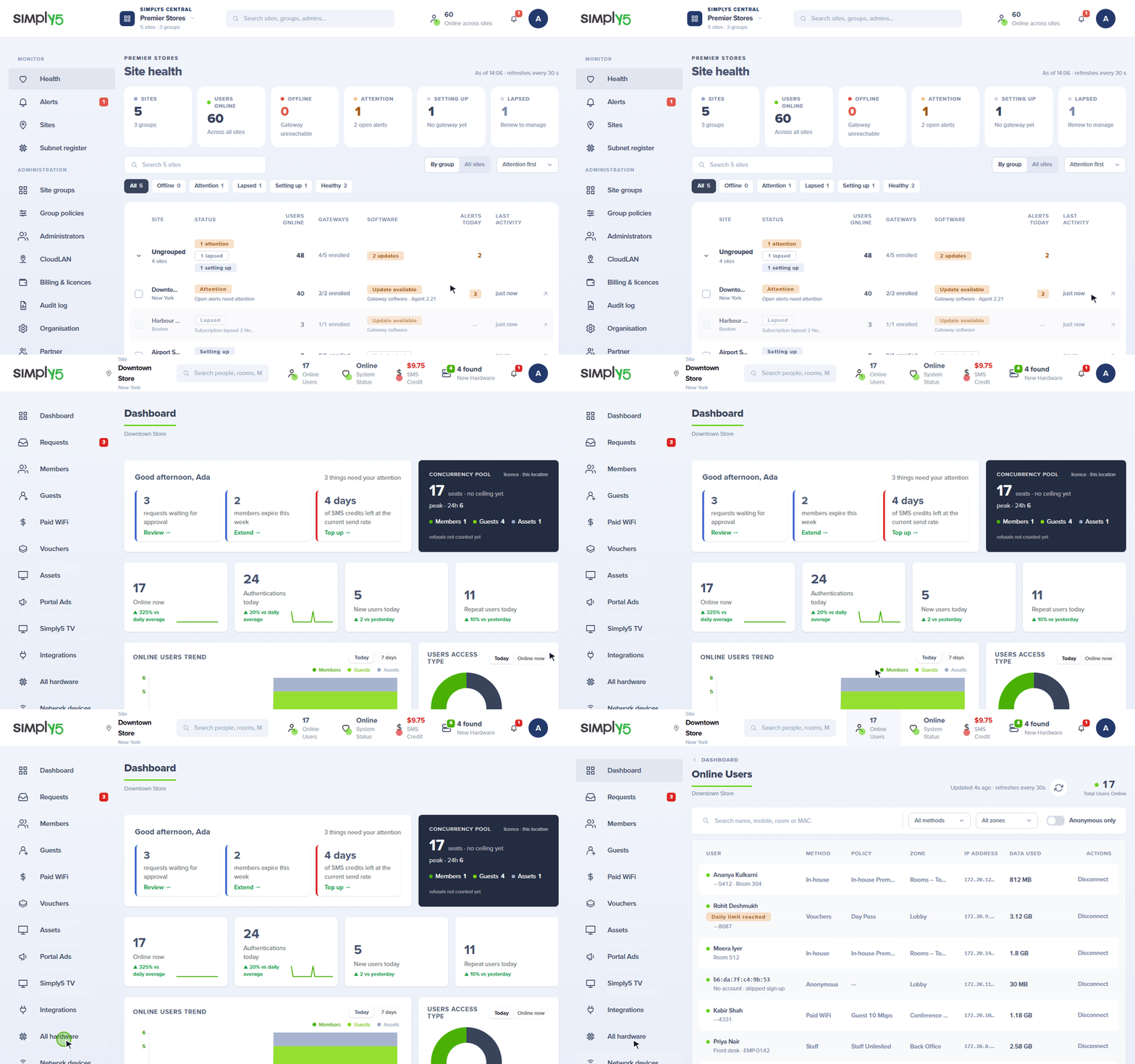
Simply5 Central is the console for an organisation with more than one site. It is included.
Health at a glance
See which sites are online, which gateway or internet line is down, and how many devices each site is serving.
Roles per site
Give a person every site or only the ones they look after, as an admin, a manager or a viewer of each.
Updates rolled out for you
Gateway software updates roll out across your sites from the cloud. A settings change that would cut a gateway off rolls itself back.
A new site in minutes
A new gateway is tagged to its order, so opening a site is plugging in and naming it. A replacement gateway takes the old one’s settings.
Built for sites with nobody technical on hand
A shop or a clinic has no network engineer. The Business Router is made so that it does not need one.
One device instead of two or three
The gateway, the firewall and the failover box are one cloud-managed device, so there is less to buy, power and look after at each site.
No networking professional needed
Settings are made in plain words in the console, and the same settings can be reused at the next site.
Fewer calls to on-site support
The gateway watches the internet lines and the devices behind it and alerts you when one drops. Most faults are seen and fixed from the console, not by a visit.
Never locked out
You manage every gateway through your Simply5 login. A lost local password never cuts you off from a site.
Live in under 30 minutes
Plug in the internet line, sign in and name the site. A new site is usually running in under half an hour.
Manage the whole network
The gateway is the start. These add the devices behind it to the same console.
Access points and switches
Simply5 Hosted Controller
Add device licences to a Simply5 site and we host the controller for your TP-Link Omada access points and switches. You adopt them, set your WiFi networks and manage switch ports in the same console as your Simply5 Gateway. There is no controller to install, update or back up.
Simply5 Hosted Controller in detailManage and reach every device
Simply5 Network Devices
Network devices is the part of the console for everything plugged in behind your Simply5 Gateway. Access points and switches are configured for you and kept that way. Cameras, recorders, printers and door controllers are watched, and opened remotely when you need them.
Simply5 Network Devices in detailMore for a growing network
When one site becomes several, or one cable is not enough, these build on the same gateway and the same console.
More than one gateway at a site
Additional Gateway
An add-on to the Campus suite
Additional Gateway in detailHelp at every step
You do not need a networking specialist on your team. Ours is there before you buy, when you install and after you go live.
01
Network consultation
Tell us about your venue and your internet lines. We help you choose the product, the size and where each device goes.
02
Plug-and-play deployment
Your Simply5 Gateway arrives tagged to your order. Plug it in, name the site, and it takes its settings from the cloud.
03
Ongoing monitoring and support
Every site reports its health to the cloud, and alerts reach you when a gateway or an internet line drops. Our team is there when you need help.
Included
Comes with the Simply5 UAM Essential licence
Every Business Router plan includes the Essential suite of Simply5 UAM, so each site can sign its guests in from the first day. There is nothing extra to buy for it.
See what Simply5 UAM doesSimply5 UAM Essential
- Free WiFi with a one-time code
- Vouchers, paid WiFi and guest passes
- One zone with your branding
- Portal Ads and a 30-day view of reports
Three plans, by how many people each site serves
Every plan is the gateway, the first year, and User Authentication Services for a set number of users. SMS for one-time codes is bought separately, in packs of 2,000 or 5,000 per site.
Business Lite
Up to 20 users
Gateway and first year, then a yearly renewal
Includes Simply5 UAM Essential
- 2,000 sign-ins a month
- Internet lines up to 100 Mbps
- Extra sign-ins are charged to your wallet
Business Pro-50
Up to 50 users
Gateway and first year, then a yearly renewal
Includes Simply5 UAM Essential
Choose your internet line
- 100 Mbps
- 300 Mbps
- 1 Gbps
- 5,000 sign-ins a month
- Extra sign-ins are charged to your wallet
Business Pro-100
Up to 100 users
Gateway and first year, then a yearly renewal
Includes Simply5 UAM Essential
- Unlimited sign-ins
- Internet lines up to 1 Gbps
- Nothing metered
From order to live
- 1
Order online
Choose a plan for each site by the number of users it serves.
- 2
Shipped to each site
Each gateway is tagged to your order and shipped to the address of its site.
- 3
Plug in
Connect your internet lines and your switch or access points. The gateway finds Simply5 Cloud by itself.
- 4
Add your devices
Buy a licence pack in the console, then adopt your access points and switches. They take their settings from there on.
What you get
Included
- The gateway and the first year
- User Authentication Services, up to your plan
- Cloud management and software updates
- Multiple internet lines with failover
- Firewall, VLANs, port forwards and DNS filtering
- Simply5 Central for every site you own
- Keeps routing your network even if a licence lapses
Order online in India. Hardware ships to your site, ready to plug in.
Simply5 Business Router at work
See the situations each kind of venue meets, and how they are handled.
Hospitality
Hotels · Resorts · Serviced apartments · Restaurants and banquets
- Room WiFi tied to the stay
- Conferences, weddings and day guests
- Lobby, cafe and restaurant
Healthcare
Hospitals · Hospital groups · Clinics · Diagnostic centres
- Patient WiFi from admission to discharge
- Attendants and family
- Confirming a patient without holding their record
Education & housing
Colleges and universities · Schools · Hostels · Student housing and co-living
- Students and faculty by cohort
- Fair use in hostels
- Residents who come and go
Retail & workspaces
Shops and showrooms · Retail chains · Cafes and restaurants · Offices
- Billing stops when the internet drops
- No more calls to on-site support
- Guests and billing on one network
Ready when you are.
Order online and your Simply5 Gateway ships already tagged to your order, ready to plug in.
Order online in India. Hardware ships to your site, ready to plug in.